Showing posts with label OS 10.8 Server. Show all posts

Wednesday, March 27, 2013

Setup Profile Manager 2

This post will cover setting up Profile Manager 2 on OS X 10.8.2.

Profile Manager 2 is a free MDM solution included with version 2 of Apple's Server app for OS X 10.8.  While the Server app may be $19.99 on the Mac App Store, there are no other licensing costs.

As I said in my previous post, I would like to see Apple improve a few minor things, but overall this is a solid MDM solution for managing iOS devices.

Setting up Profile Manger 2

Requirements

OS X 10.8
Server version 2*

*(I recommend version 2.2.1 which is the most recent and adds the ability to delete apps after they have been uploaded to Profile Manger.)

1.  After installing and updating OS X 10.8 download OS X Server version 2 from the Mac App Store.

2.  Open the Server app, click Continue and Agree to the licensing agreement.


3.  Check that the hostname is correct, click Continue.

4.  Enter the AppleID you would like to use for Push Notifications, click Continue.

5.  The Server app will now take a couple of minutes to setup the service.  Click Finish when it has completed.

6.  The Server app should now open and display the computer information as well as a list of the services.  Click on the Profile Manager service and turn it On.


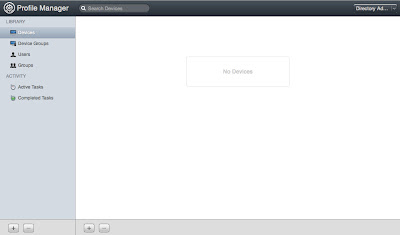
7.  After Profile Manger starts, click on the Configure button.

8.  Click Next to begin Profile Manger setup.

9.  Profile Manager needs a configured network directory.  Click Next to begin setting up Open Directory.


10.  Enter a password for your Directory Administrator account and click Next.

11.  Enter the name of the organization as well as the administrator's email address and click Next.


12.  Verify that the settings are correct and click on Set Up.  Server will now create an Open Directory master.

13.  After Open Directory has been set up, you will be prompted to select an SSL Certificate for web services.  For this example we are going to use a self-signed certificate.


14.  Click on the Certificate drop down and select your certificate.  Click Next.

15.  If you receive a green circle with a checkmark your server has been set up.  Click Finish.


16.  To access Profile Manager click on the Open Profile Manger link and log in with your administrator account. **

**Active Directory accounts will work, but the server must be joined to an Active Directory domain and given access to manage the service.

17.  Profile Manger has now been configured.

Next I will be covering how to work with Profile Manager, trust profiles, and enrollment profiles.

Tuesday, March 26, 2013

Profile Manager 2


Apple's first version of Profile Manager (OS X 10.7, Server v1) was more like a pre-release version. It didn't work that well and there really weren't many features that made it worth the install time.  However, Profile Manager 2, which is included in OS X Server version 2, provides a great management tool for iOS devices.  It also provides management of Mac clients, but I have found that it just isn't reliable enough for day-to-day management of Macs.  I prefer to stick with MCX for my Macs until it is improved.


Profile Manager allows you to create a group of iPads and assign profiles and apps to the group.  The profiles and apps are then pushed out over the air to the devices.  Profiles install automatically while the apps require the user to click Install when prompted.

I list more complaints than good features below.  I do believe that the good outweighs the bad, though.

Features

  • Over-the-air updates to profiles.
  • Over-the-air app installation.
  • Group device management.
  • Remote device management - Lock and wipe lost devices.

Complaints

There are a few items I would like to see Apple improve in the next version:
  • Sorting apps uploaded to Profile Manger
  • Currently apps are sorted by the day they were uploaded.  Allowing them to be sorted alphabetically be much more efficient.
  • Names displayed for Apps
  • The apps are listed by the file name of the apps, not the title of the app.  For example, an app may show up in iTunes as Alphabet, but the file name of the app may be abc.app.  This can be confusing for users who are looking for the title of the app.
    • Allow Restrictions on Profile Manager Admins
    • Currently, any user who can login to the Profile Manger management page can see all of the devices, settings and apps.  It would be nice to have different management users/groups that devices can be assigned to.  For example, we have iOS devices in our elementary, middle school as well as our SPED department.  Since each area has a different manager, I have created multiple Profile Manger servers.
    • Allow Uploading Multiple Apps
    • Unfortunately the .ipa files have to be uploaded one at a time.  Not a big deal if you only have a handful of apps.  However, some of our buildings have 150+ apps!